

How to use Einstein GPT in Salesforce 2023: Artificial Intelligence (AI) has revolutionized various industries, including customer relationship management (CRM). Salesforce, a leading CRM platform, has introduced Einstein GPT, an AI-powered tool that helps businesses generate human-like text and engage with customers more effectively. In this article, we will explore how to use Einstein GPT in Salesforce and its benefits for businesses.
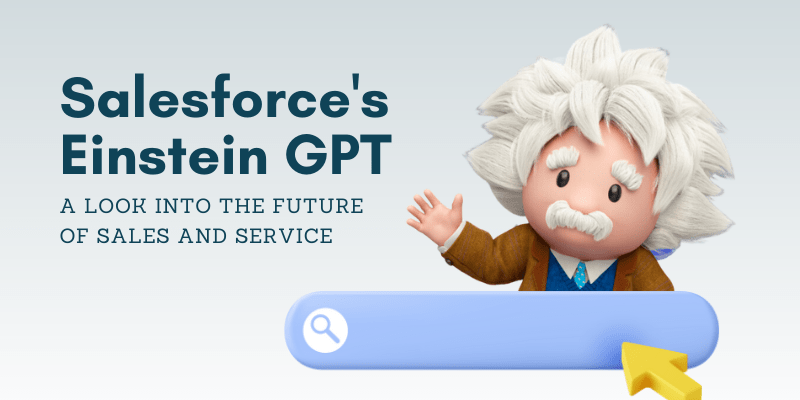
Table of Contents
2. What is Einstein’s GPT?
Einstein GPT is an AI model developed by Salesforce, leveraging the power of OpenAI’s GPT technology. GPT, short for Generative Pre-trained Transformer, is a state-of-the-art language model that can generate coherent and contextually relevant text. With Einstein GPT, businesses can create personalized customer interactions, improve customer service, and streamline their operations.
3. Benefits of Einstein GPT in Salesforce
Using Einstein GPT in Salesforce offers several advantages:
- Enhanced Customer Engagement: Einstein GPT enables businesses to generate dynamic and engaging content, including chatbots, emails, and recommendations. This leads to more meaningful interactions and increased customer satisfaction.
- Efficient Workflows: By automating repetitive tasks such as drafting emails or generating reports, Einstein GPT frees up valuable time for sales and service professionals. This allows them to focus on high-value activities, leading to improved productivity.
- Personalization at Scale: With Einstein GPT, businesses can create personalized experiences for each customer at scale. The model can generate tailored product recommendations, customized emails, and personalized marketing messages, ensuring a more targeted approach.
4. Getting Started with Einstein GPT
To start using Einstein GPT, follow these steps:
- Sign up for Salesforce: If you haven’t already, create an account on Salesforce and ensure you have the necessary permissions to access Einstein GPT.
- Enable Einstein GPT: In your Salesforce setup, navigate to the Einstein GPT section and enable the feature. This will allow you to access the tools and functionalities associated with Einstein GPT.
5. Setting up Einstein GPT in Salesforce
After enabling Einstein GPT, you need to set it up to suit your business needs. Here’s how:
- Define Use Cases: Identify the areas where Einstein GPT can add value to your business. This could be customer support, lead generation, content creation, or any other relevant use case.
- Data Collection: Gather the necessary data to train the Einstein GPT model. This can include historical customer interactions, product information, or any other relevant textual data.
- Data Preparation: Clean and preprocess the collected data to ensure it is suitable for training the model. This may involve removing duplicates, normalizing text, and handling missing values.
6. Training the Model
Training the Einstein GPT model requires a careful approach to ensure accurate and contextually relevant outputs. Consider the following steps:
- Data Labeling: Annotate the collected data with appropriate labels or tags to guide the model during training. This helps the model understand the context and generate relevant responses.
- Model Configuration: Fine-tune the model parameters and architecture to align with your specific use case. This involves adjusting hyperparameters, such as learning rate, batch size, and number of training epochs.
- Training Process: Train the model using the labeled data and the configured parameters. This process may take some time, depending on the size of the dataset and the complexity of the use case.
7. Implementing Einstein GPT in Salesforce
Once the model is trained, it’s time to integrate it into your Salesforce environment. Follow these steps:
- Deployment: Deploy the trained Einstein GPT model to your Salesforce instance. Ensure it is accessible to the relevant users or applications.
- API Integration: Utilize the Einstein GPT API to enable seamless communication between the model and your Salesforce workflows. This allows you to leverage the generated text within your existing processes.
- Testing and Validation: Validate the output generated by Einstein GPT through rigorous testing. Monitor the performance and iterate as needed to improve the accuracy and effectiveness of the generated text.
8. Use Cases of Einstein GPT
Einstein GPT can be applied to various use cases within Salesforce, including:
- Customer Support: Use Einstein GPT to provide instant and accurate responses to customer queries, reducing the workload on support agents.
- Lead Generation: Generate personalized emails and recommendations to engage with potential leads more effectively.
- Content Creation: Leverage Einstein GPT to create compelling content, such as blog articles, social media posts, or product descriptions.
9. Enhancing Customer Experience with Einstein GPT
By utilizing Einstein GPT in Salesforce, businesses can significantly enhance the customer experience:
- Personalized Interactions: Einstein GPT enables businesses to provide personalized interactions at scale, making customers feel valued and understood.
- Improved Response Time: With the ability to generate instant responses, Einstein GPT reduces response time, leading to faster issue resolution and improved customer satisfaction.
- Consistent Messaging: By leveraging a unified AI model like Einstein GPT, businesses can ensure consistent messaging across different touchpoints, reinforcing their brand identity.
10. Overcoming Challenges with Einstein GPT
While Einstein GPT offers tremendous potential, there are a few challenges to consider:
- Data Quality: The quality and relevance of training data directly impact the performance of the model. Ensure the data used for training is comprehensive, representative, and free from biases.
- Ethical Considerations: AI-generated content should be monitored to avoid misinformation, biased responses, or inappropriate outputs. Establish guidelines and review mechanisms to ensure the ethical use of Einstein GPT.
11. Future Developments and Innovations
Salesforce is continuously investing in the development of Einstein GPT to unlock its full potential. Future developments may include:
- Multi-language Support: Extending Einstein GPT to support multiple languages, enabling businesses to engage with customers worldwide.
- Domain-Specific Models: Creating specialized models for specific industries or domains to enhance the accuracy and relevance of generated text.
- Improved Training Techniques: Advancements in training techniques can further improve the performance and efficiency of Einstein GPT.
12. Conclusion
Einstein GPT offers a powerful toolset for businesses using Salesforce, enabling them to generate human-like text and enhance customer interactions. By following the outlined steps, businesses can effectively implement and leverage Einstein GPT to improve customer engagement, streamline workflows, and personalize their communication.
13. FAQs
Q1: Can Einstein GPT understand multiple languages? Yes, Salesforce is actively working on expanding the language capabilities of Einstein GPT to support multiple languages.
Q2: Is it possible to integrate Einstein GPT with third-party applications? Yes, Einstein GPT provides APIs that allow seamless integration with third-party applications, expanding its functionality.
Q3: How long does it take to train the Einstein GPT model? The training duration depends on various factors such as the size of the dataset, the complexity of the use case, and available computing resources.
Q4: Can Einstein GPT be used for voice-based interactions? Currently, Einstein GPT focuses on generating text-based responses. However, future developments may include voice-based capabilities.
Q5: Is Einstein GPT suitable for small businesses? Yes, Einstein GPT can benefit businesses of all sizes. It offers personalized customer interactions and enhances operational efficiency, regardless of the business scale.
